Search for AI vs human photo editing and you'll mostly find two sales pitches. AI vendors say the AI wins. Editing services say people do.
An AI photo editor handles the routine corrections most real estate photos need, including bracket merging, white balance, window pulls, straight verticals and sky replacement, and returns a full listing in about 10 minutes. A human editor remains the better choice for heavy retouching, compositing and a client's established house style.
We make Autoenhance, the AI editor in this article, so weigh what follows with that in mind. Our team answers photographers when an edit needs a fix, so we see where AI edits land and where they still need help. This comparison covers real estate listing photos only, not portraits or product shots.
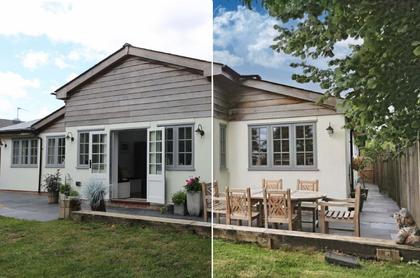
The images in this article are separate examples: one listing photo edited by hand in Photoshop and two edited with Autoenhance. They aren't the same frame edited twice, so they show what each route produces, not which one wins. For a true head‑to‑head, use your own listing. The last section shows how.
What does a human editor fix in a real estate photo?
A human real estate photo editor blends bracketed exposures, corrects white balance and color casts, straightens verticals, recovers the view through bright windows and replaces a gray sky. A good editor also makes judgment calls on every frame: how bright a room should read, how much warmth to keep and when an edit has gone too far.
That list is the yardstick for the rest of this comparison. Whether you edit in Lightroom and Photoshop yourself or send brackets to an editor you trust, those are the corrections the agent expects to see. Our guide to editing a real estate photo walks through each one.
Manual editing gives you control over every frame, and some photographers edit by hand because they like owning every detail of the result. The trade‑off is time. Every photo passes through someone's hands, yours or your editor's, before the gallery goes out.
 Before and after, edited by hand in Photoshop.
How does an AI photo editor handle the same corrections?
An AI photo editor makes the same core corrections automatically. In Autoenhance, the AI merges brackets, corrects white balance, straightens verticals and horizontals, pulls windows and replaces the sky. The AI assesses each image individually, and every image in an order processes in parallel.
You upload the whole shoot, brackets included. The default grouping mode finds matching brackets and merges them, and single frames can go in the same upload. Perspective correction straightens leaning walls and door frames on interiors and exteriors. Window pulls bring back the view through bright windows, and sky replacement swaps a gray sky for one of several options or stays off. Lens correction applies automatically when your files carry their metadata.
Mirrors and screens get handled too. Photographer Removal takes your reflection out of mirrors and glossy surfaces, and TV Blackout turns screens black. Our post on removing reflections and blacking out TV screens covers both.
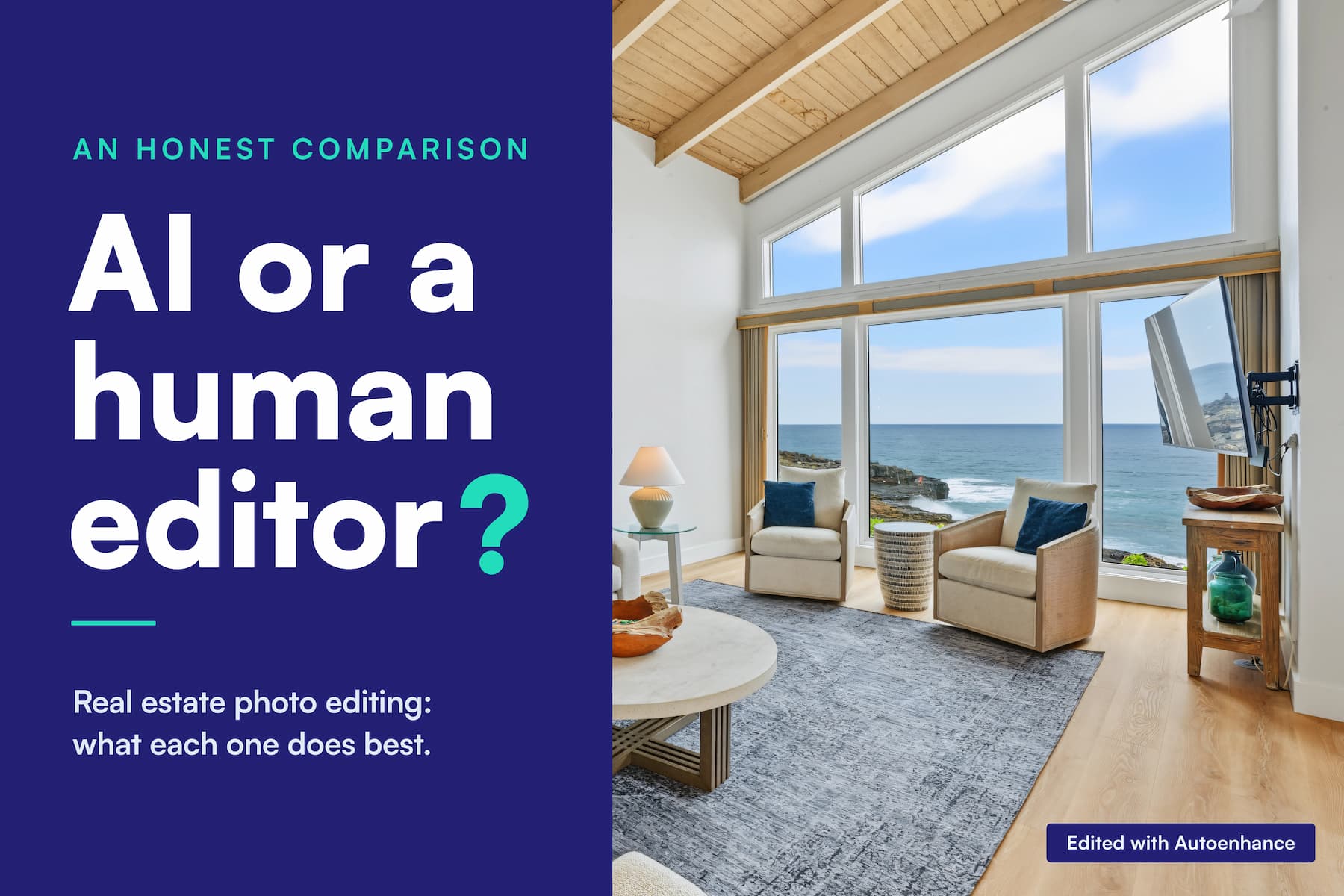
Where the AI differs from a person is what it knows about you. An editor who has worked on dozens of your galleries knows you like kitchens a touch warmer. The AI doesn't, until you set it. You can re‑enhance an image with different settings, adjust it with Finetune sliders such as Temperature and Contrast, and save that combination as a preset for the client. Before and after, edited with Autoenhance.
Where does AI match a human editor, and where does it fall short?
AI photo editing covers the corrections that follow clear rules: bracket merging, white balance, verticals, window pulls, sky replacement and small cleanups such as mirror reflections. A human editor keeps the edge on judgment calls, heavy retouching and a client's personal style. Some AI edits need a re‑enhance or a Finetune tweak before delivery.
|
Correction |
AI editor (Autoenhance) |
Human editor |
|
White balance and color casts |
Corrected image by image; adjust with a re‑enhance or the Temperature and Tint sliders |
Corrected by eye, including local patches |
|
Verticals |
Perspective correction straightens verticals and horizontals |
Transform tools, frame by frame |
|
Window views |
Window pulls (AI V5 and higher) |
Masked and blended by hand |
|
Sky |
Sky replacement, with a choice of skies or off |
Sky picked and blended by hand |
|
Mirror reflections and TV screens |
Photographer Removal and TV Blackout |
Cloned or painted out by hand |
|
A client's house style |
A preset you set up once |
Learned by the editor over many galleries |
|
Heavy retouching and compositing |
Not offered |
The editor's core skill |
We think the honest split looks like this: the AI earns its keep on the routine frames that make up most of a gallery, and a person earns theirs on the exceptions.
When an AI edit misses, you fix it in the app. Re‑enhance the image with different settings, or use Finetune for a small tweak, then download it again. A re‑download after a tweak uses no extra credit. And if the settings still don't get you there, a person on our support team helps you work out what to change.
How long does each route take, and what does it cost?
AI photo editing returns a full listing in about 10 minutes, and Autoenhance charges $0.29 per downloaded photo, with uploads and previews free. An outsourced human editor's turnaround and per‑image rate depend on the editor and the queue. Editing by hand carries no per‑photo fee, but it takes your own hours.
|
Route |
Turnaround |
Your hands‑on time |
Cost per photo |
25‑photo listing |
|
Editing it yourself (Lightroom, Photoshop) |
When you finish editing |
Every frame, by hand |
Software subscription plus your time |
Your time |
|
Outsourced human editor |
Your editor's quoted turnaround |
Uploading, briefing and checking the gallery |
Your editor's rate |
25 × your editor's rate |
|
AI photo editor (Autoenhance) |
About 10 minutes |
Uploading and reviewing each image |
$0.29, per photo, not per bracket |
$7.25 |
The AI's speed comes from processing the whole order at once. You can review each image as it finishes instead of waiting for the last one, and fix any outliers while the rest are still running. Autoenhance charges per final photo, not per bracket, so a five‑bracket interior costs the same as a single exterior frame. Autoenhance pricing lists the plans.
We've left the human editor's figures to your own quote, because rates and turnaround vary from one editor to the next. Another before and after, edited with Autoenhance.
When should you still use a human editor?
A human editor is the better choice for heavy retouching, compositing and clients whose house style the editor already knows. A human editor also makes sense for frames that still look wrong after an AI re‑enhance, for high‑end listings where you want a person on every image and for photographers who enjoy editing and have the hours.
Heavy retouching and compositing. Rebuilding part of a frame or combining elements from several shots is skilled handwork. The AI's cleanup options cover mirror reflections and TV screens, not full retouching.
Frames that still miss. If a scene looks wrong after a re‑enhance and a Finetune pass, hand that frame to an editor instead of fighting it.
Listings where you want a person on every frame. Some photographers prefer a human eye on every image of a high‑end listing. That's a fair call.
You enjoy editing and have the hours. If editing is the part of the job you like and your schedule has room for it, there's no reason to stop.
You don't have to pick one route for everything. You can run the full gallery through AI and spend human time only on the few frames that need it.
How can you compare AI and human edits on your own photos?
The fairest comparison uses a listing you've already delivered. Run the same source files through an AI editor on default settings, put each AI edit beside your delivered edit and decide which version you'd send the agent. The agent's answer settles the question better than any vendor's claim, ours included.
-
Pick a listing you've already delivered. Choose one with a mix of scenes: bright windows, a mirror and a gray‑sky exterior.
-
Run the same source files through an AI editor. Use default settings and skip any manual tweaks, so you see the starting point.
-
Put the two versions side by side. Compare them frame by frame at full size, then again on a phone.
-
Decide which one you'd send. Or send both to your agent and ask which they'd use.
To run the test with Autoenhance, upload the brackets in the web app without creating an account and preview every edit free. You pay one credit per photo only when you download the full‑resolution file, at $0.29 a photo.
FAQs
Is AI photo editing as good as a human editor?
AI photo editing handles the same rule‑based corrections a human editor makes on a real estate photo: bracket merging, white balance, verticals, window pulls and sky replacement. A human editor still leads on heavy retouching and on a client's personal style. The quickest way to judge for your own work is to compare both edits of a listing you've already delivered.
Can AI replace a human real estate photo editor?
AI photo editing can take over the routine corrections on a standard listing, with the photographer reviewing each image before delivery. A human editor is still worth keeping for retouching, compositing and clients with a specific style. You can also combine the two: AI for the full gallery and an editor for the exceptions.
Can buyers tell when a listing photo was edited with AI?
Buyers notice heavy‑handed edits, whoever made them: gray whites, halos around window frames and skies that don't match the light on the house. A clean, natural correction doesn't show how it was made. We haven't run a blind test, so we won't claim buyers can't tell. Check your own results at full size and on a phone before delivery.
Do you have to disclose AI‑edited listing photos?
Disclosure rules for edited listing photos depend on the state and the MLS. In California, AB 723 has required, since January 1, 2026, that a real estate broker or salesperson who includes a digitally altered image in a listing ad state that the image has been altered and link to the original, unaltered image.
Whether routine corrections such as white balance count as an alteration is still debated, so check with your MLS and your broker. Autoenhance exports can include a separate version of each image with a small "AI MODIFIED" badge. This isn't legal advice.
How long does AI photo editing take compared with a human editor?
AI photo editing returns a full real estate listing in about 10 minutes, because every image in the order processes at the same time. A human editor's turnaround depends on the editor's queue and the size of the gallery. Editing by hand takes as long as you spend at the screen.
Let the agent decide
Human and AI editing make the same core corrections. The differences are judgment, time and cost per listing. Put your last delivered listing beside the AI version and send whichever one you'd stand behind. Upload a listing, preview every edit free and pay only for the photos you download.